

Picture this: your morning shift ends, a new product push kicks off, and your agents are still dialing the wrong list. Calls go to leads who already converted, compliance rules from the old campaign bleed into the new one, and your supervisor is fielding complaints before lunch. Campaign switching sounds simple on paper, but in a live call center environment, a sloppy handoff can erase hours of productivity in minutes. This guide walks you through every stage of a campaign switch, from diagnosing your setup to verifying results, so your team moves fast and stays clean.
Table of Contents
- Assess your current campaigns and switching needs
- Prepare your platform: Configure campaign settings and teams
- Execute the campaign switch: Step-by-step process
- Maintain context and continuity during the switch
- Verify outcomes and optimize your process
- The real secret to painless campaign switching: Build for change from day one
- Simplify campaign switching with DialerSeat
- Frequently asked questions
Key Takeaways
| Point | Details |
|---|---|
| Preparation is critical | Assess campaign needs and platform capabilities before switching to avoid errors and downtime. |
| Follow a stepwise process | Switch campaigns using a controlled, repeatable workflow for more consistent results. |
| Preserve interaction context | Maintain notes, call history, and follow-ups across campaigns to prevent lost opportunities. |
| Verify and optimize | Always check campaign outcomes right after switching and use feedback to refine your approach. |
Assess your current campaigns and switching needs
With the challenges in mind, let's diagnose your environment for a smooth campaign switch.
Before you touch a single setting, you need a clear picture of where you stand. Campaign switches happen for several reasons: shift changes that require a different dialing strategy, updated target lists after a product launch, compliance requirements that restrict calling hours or scripts, or simply a pivot in sales focus. Each trigger carries its own risks, and treating them all the same is how errors happen.
Start by noting the current state of your dialer. What is the active campaign status? Which agents are assigned to it? What call list is loaded, and how far through it has the dialer progressed? What caller ID rules are active? These four data points form the foundation of any safe switch. Skipping even one of them can mean calls routing to the wrong queue or agents working with outdated scripts.
Many dialer platforms support switching between campaigns by starting, pausing, stopping, and configuring which campaigns are active, then routing calls and lists according to those campaign settings. Knowing whether your platform handles this natively, or whether you need to do it manually, changes your entire approach. The role of dialer settings in campaign performance is often underestimated until something breaks.
Here is a quick comparison of how common platforms handle campaign switching:
| Platform | Pause/Stop support | Multi-campaign routing | List management | Caller ID rules |
|---|---|---|---|---|
| Voiso | Yes | Yes | Per campaign | Per campaign |
| Contactswing | Yes | Yes | Per campaign | Rotation rules |
| Generic cloud dialers | Varies | Limited | Shared or per campaign | Basic |
| DialerSeat | Yes | Yes | Per campaign | Per campaign |
Pre-switch diagnostic checklist:
- Confirm the active campaign status (running, paused, or idle)
- Document the current call list name, size, and progress percentage
- Note all assigned agents and their current queue or skill group
- Record active caller ID numbers and any rotation rules
- Check for pending callbacks or scheduled follow-ups tied to the current campaign
- Review compliance settings (calling hours, do-not-call lists, opt-out rules)
- Confirm any open tickets or escalations that belong to the current campaign
Pro Tip: Always pause or safely end an active campaign before starting another. Stopping abruptly without pausing can cause calls in progress to drop, and it may corrupt your list progress data, forcing you to re-dial contacts who already answered.
Prepare your platform: Configure campaign settings and teams
Once you've assessed your needs, it's time to prepare your platform and team.
Preparation is where most campaign switches either succeed or fail. Rushing this stage is tempting when the clock is ticking, but a few extra minutes here saves a lot of cleanup later. Think of it like prepping a surgical suite before an operation. You would not start without confirming every tool is in place.
Campaign configuration typically includes dialer strategy, calling lists, caller ID and caller ID rotation rules, follow-up rules, and which agents or teams are eligible. That means switching campaigns is not just flipping a toggle. You are updating multiple dimensions simultaneously, and each one needs to be correct before the first call dials out.
A solid dialer campaign setup process protects you from the most common errors: wrong lists, wrong agents, wrong caller IDs. Here is a numbered process to follow every time:
- Create or clone the new campaign. If your platform supports templates, use them. Cloning an existing campaign and modifying it is faster and less error-prone than building from scratch.
- Set the dialing strategy. Choose between predictive, progressive, preview, or manual dialing based on the campaign's goals and your team size.
- Load and verify the call list. Confirm the list is scrubbed against your do-not-call registry and matches the target audience for this specific campaign.
- Configure caller ID rules. Assign the correct outbound numbers and set rotation rules if needed to protect answer rates.
- Define follow-up and disposition rules. What happens after a call? Callbacks, transfers, and voicemail drops all need to be mapped before the campaign goes live.
- Assign eligible agents or teams. Remove agents from the old campaign queue and add them to the new one. Confirm they have access to the correct scripts and resources.
- Run a test call. Dial one internal number or a test lead to confirm routing, caller ID, and disposition options are all working correctly.
Pro Tip: Build configuration templates for your most common campaign types. A "cold outreach" template, a "warm follow-up" template, and a "compliance-restricted" template can cut your setup time by 50% or more on routine switches.
Here is a comparison of how major providers handle key configuration elements:
| Configuration element | Voiso | Contactswing | DialerSeat |
|---|---|---|---|
| Template/clone support | Yes | Yes | Yes |
| Agent eligibility rules | Queue-based | Team-based | Role-based |
| Caller ID rotation | Yes | Yes | Yes |
| Follow-up automation | Yes | Yes | Yes |
| Real-time pacing control | Yes | Limited | Yes |
Execute the campaign switch: Step-by-step process
Now, let's walk through the hands-on process for a live campaign switch.
This is where preparation pays off. A controlled switch treats campaign changes as a structured operation across four dimensions: active campaign status, routing eligibility, dial and list settings, and measurement feedback. Switching between campaigns requires updating all four dimensions in the right order to avoid gaps or overlaps in coverage.
Follow this sequence for a clean execution:
- Pause the active campaign. Do not stop it outright if calls are still in progress. Pausing lets current calls finish without dropping them.
- Confirm no calls are in queue. Wait for the queue to clear before proceeding. Most platforms show a live queue count in the dashboard.
- Remove agents from the old campaign queue. Log them out of the current campaign or move them to a holding queue while you complete the switch.
- Activate the new campaign. Set its status to active or running, depending on your platform's terminology.
- Assign agents to the new campaign. Move them from the holding queue into the new campaign's eligible pool.
- Confirm dial list, caller ID, and pacing settings. Do a final check on all three before allowing the dialer to start making calls.
- Monitor the first five minutes closely. Watch for routing errors, wrong caller IDs, or agents receiving calls they are not prepared for.
- Stop or archive the old campaign. Once the new campaign is running cleanly, formally close the old one to prevent accidental reactivation.
The call campaign switching process looks different for small teams versus large ones. A team of five agents can execute this in under ten minutes with one supervisor managing the dashboard. A team of 50 agents across multiple queues may need a phased rollout, moving agents in groups of ten to avoid disrupting ongoing calls.
Critical note: Never delete a campaign without first confirming there are no pending follow-ups, scheduled callbacks, or open compliance cases tied to it. Deleting a campaign can permanently remove that data from your system, creating gaps in your contact history and potential regulatory exposure. Archive instead of delete whenever possible.
Maintain context and continuity during the switch
Switching campaigns is only effective if you maintain continuity for agents and customers.

Here is the part most guides skip entirely: what happens to the conversations, notes, and follow-up commitments that were in progress when you switched? If a lead was marked as "call back Thursday at 2 PM" in the old campaign and that data does not carry over, your agent calls on Friday with no context. That is a broken customer experience and a wasted opportunity.
Modern call architectures preserve task attributes and conversation context so routing logic stays consistent even after switching campaigns or handing off between agents. This means the best platforms do not just move calls from one bucket to another. They carry the full interaction history with them.
Research from contact center industry groups suggests that a significant portion of call centers, some estimates place it above 30%, report errors or dropped follow-ups directly tied to context loss during campaign or shift transitions. Even one missed callback per agent per day adds up fast across a team.
Context items to preserve during every campaign switch:
- Call notes and disposition codes from previous interactions
- Scheduled callbacks and their specific time commitments
- Lead scoring or priority flags assigned during earlier calls
- Do-not-call flags and opt-out records
- Escalation tickets or open service issues
- Agent-specific notes about contact preferences or history
The practical way to protect this data is to export a snapshot of your current campaign's lead and contact records before switching, then import or map that data into the new campaign's CRM or dialer records. If your platform supports native data persistence across campaigns, use it. If not, a manual export takes five minutes and can save hours of recovery work.
Verify outcomes and optimize your process
After switching, it's vital to check everything worked and learn for next time.
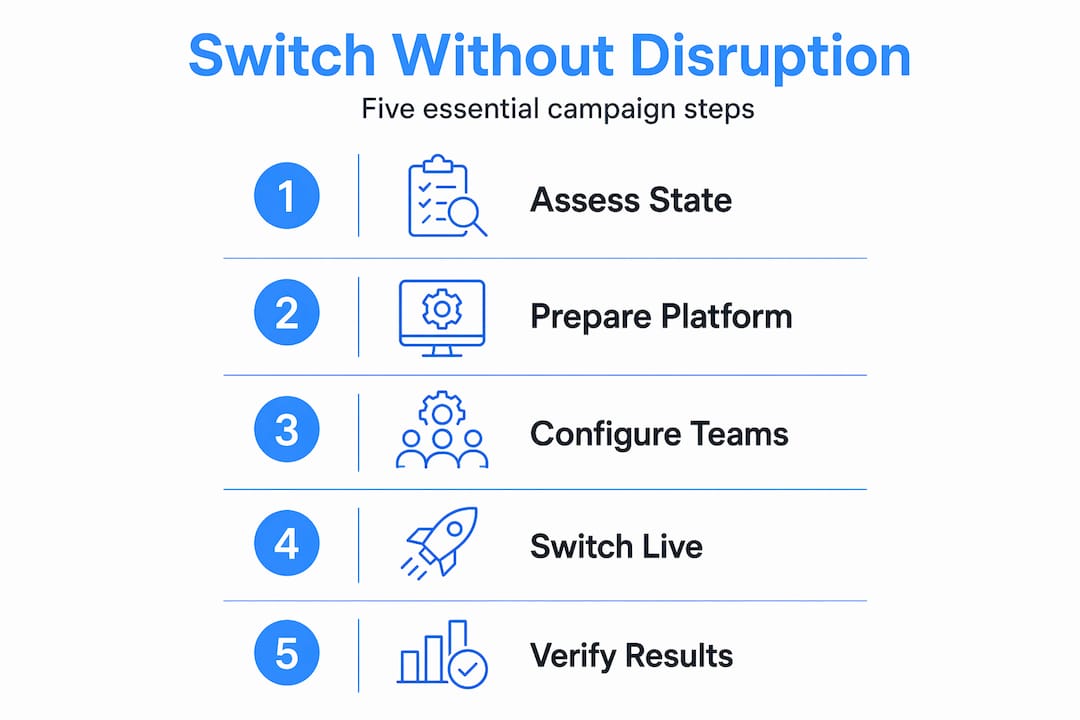
A campaign switch is not complete the moment the new campaign goes live. It is complete when you have confirmed that every dimension of the switch is working as intended. Measurement and feedback loops are a core part of any solid switching methodology, not an optional add-on.
Post-switch quality assurance checklist:
- Confirm the new campaign is dialing from the correct caller ID numbers
- Verify agents are receiving calls and have access to the correct scripts
- Check that dispositions are routing to the right follow-up workflows
- Review the first 10 to 20 call records for correct list assignment
- Confirm the old campaign is paused or archived and not generating new calls
- Check compliance settings: calling hours, opt-out enforcement, and recording rules
- Review agent feedback in the first 15 minutes for any confusion or routing issues
Pro Tip: Monitor three key metrics in the first hour after a switch: pickup rate, agent idle time, and conversion rate. A sudden drop in pickup rate may signal a caller ID problem. High agent idle time may indicate a routing misconfiguration. A conversion dip may mean the wrong list is loaded. Catching these early saves the entire shift.
Once the immediate verification is done, schedule a short debrief with your team leads. What slowed the switch down? Where did confusion arise? Document those answers and update your switching checklist before the next campaign change. Over time, this iteration turns a stressful process into a routine one.
The real secret to painless campaign switching: Build for change from day one
Here is a perspective you will not find in most guides.
Most call center managers treat campaign switching as an emergency response. Something changes, and they scramble to update settings, brief agents, and hope nothing breaks. The best teams we have seen operate completely differently. They treat switching as a designed, expected, and optimized workflow, not an exception.
The difference is not just tooling. It is culture and structure. Teams that switch campaigns smoothly have clear ownership: one person is responsible for the switch, one person verifies it, and everyone else knows their role during the transition. There is no ambiguity about who pauses the old campaign or who briefs the agents.
Strong reporting is the other piece. When you have real-time visibility into campaign performance, you can anticipate switches before they become urgent. You see the list depleting, the answer rate dropping, or the compliance window closing, and you prepare the next campaign in advance rather than reacting in the moment. Smarter campaign management is less about speed and more about foresight.
The uncomfortable truth is that most switching problems are not platform problems. They are process problems. A team with a mediocre dialer and a great switching process will outperform a team with a premium dialer and no process every single time. Invest in the process first. The right tools make a good process faster, but they cannot replace one.
Simplify campaign switching with DialerSeat
If you're ready for an easier way to handle campaign switches, there's a solution designed for exactly this challenge.
Managing multiple outbound campaigns should not feel like defusing a bomb every time you need to change direction. DialerSeat was built to make that transition fast, clean, and repeatable for teams of every size.
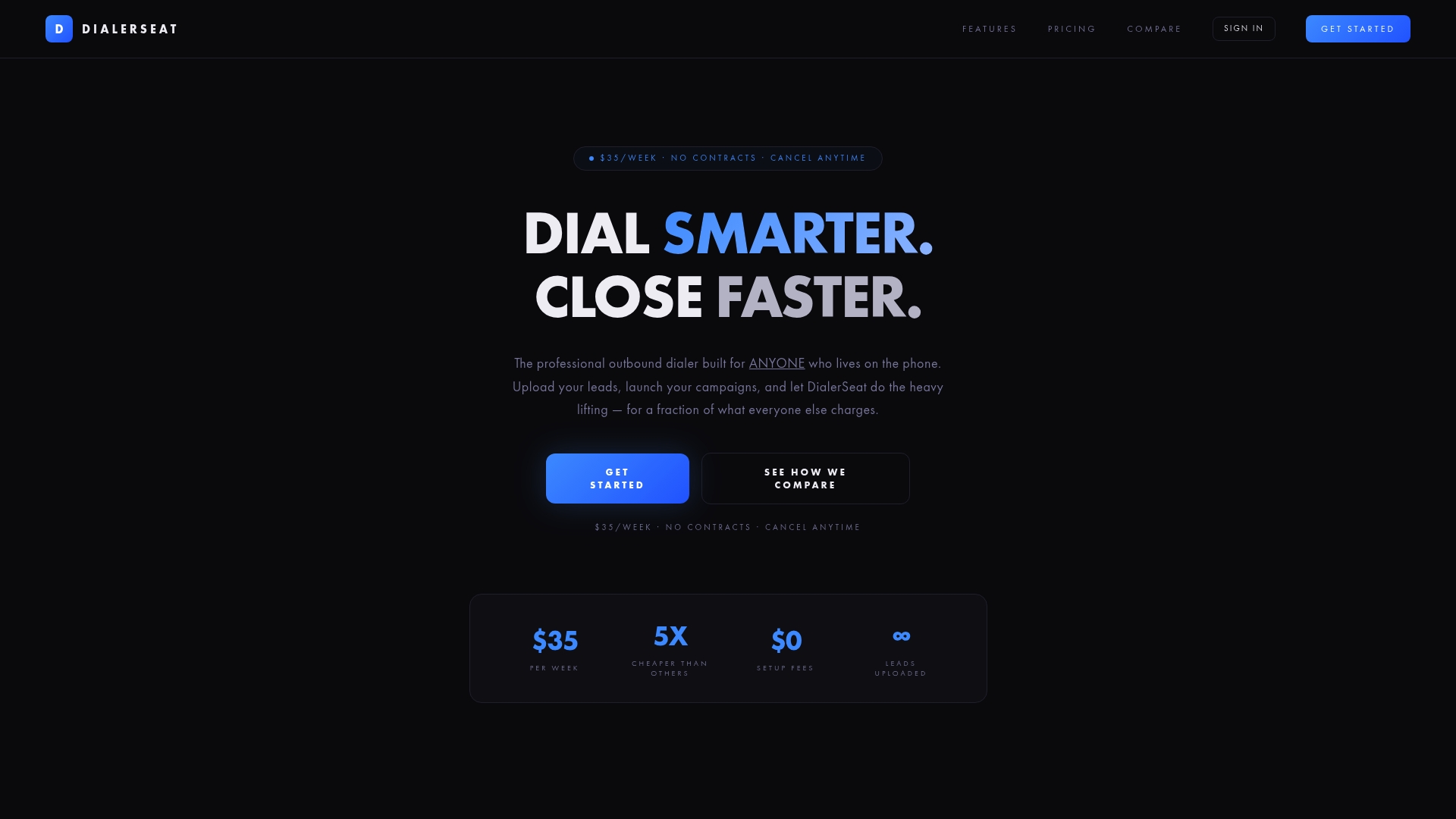
The DialerSeat platform gives call center managers a single dashboard to configure campaigns, assign agents, manage call lists, and track performance in real time. Voicemail detection keeps agents focused on live conversations. Lead memory ensures contact history persists across campaigns, so your team never loses context during a switch. At $35 per week with no contracts or setup fees, it is a practical choice for managers who need professional-grade tools without enterprise-level costs. Explore DialerSeat today and see how much smoother your next campaign switch can be.
Frequently asked questions
What is the main risk of switching campaigns without preparation?
The main risk is lost data, errors in call routing, or compliance violations if agent or call list settings do not update correctly. Modern architectures preserve interaction context to prevent these gaps, but only if the switch is executed in the right order.
How do I know my call center dialer supports campaign switching?
Check your dialer's documentation for features to start, pause, or stop campaigns and confirm you can configure separate lists, agents, and caller IDs per campaign. Many dialer platforms support this natively through campaign status controls.
What parts of a campaign need updating when switching?
Update dial strategy, call lists, caller ID rules, eligible teams, and follow-up or compliance settings to match your new campaign. Campaign configuration dimensions include all of these elements and must be reviewed together, not individually.
Can I automate campaign switching in my call center?
Many modern call platforms allow you to automate parts of the switching process, including activation, routing, and team assignments, using rules or schedules. Dialer platforms support configuring which campaigns are active and routing calls automatically based on those settings.